
A patient asks an AI assistant
Which dentist near me can see me this week?
The assistant answers
Two practices near you fit what you asked:
Illustration. A patient might ask a question like this one. This kit gets your practice's information ready for it.
Sound familiar?
- New patients tell you they asked Google or their phone and another practice came up, and you can't figure out why it wasn't you.
- Your Google Business Profile hasn't had new photos or review responses in months, and you don't know where to start.
- You pay an agency to post on Instagram, but your new patients still come almost entirely from word-of-mouth referrals.
- You've never asked ChatGPT or Perplexity which dentist they'd recommend in your area, and you don't know if they mention your practice at all.

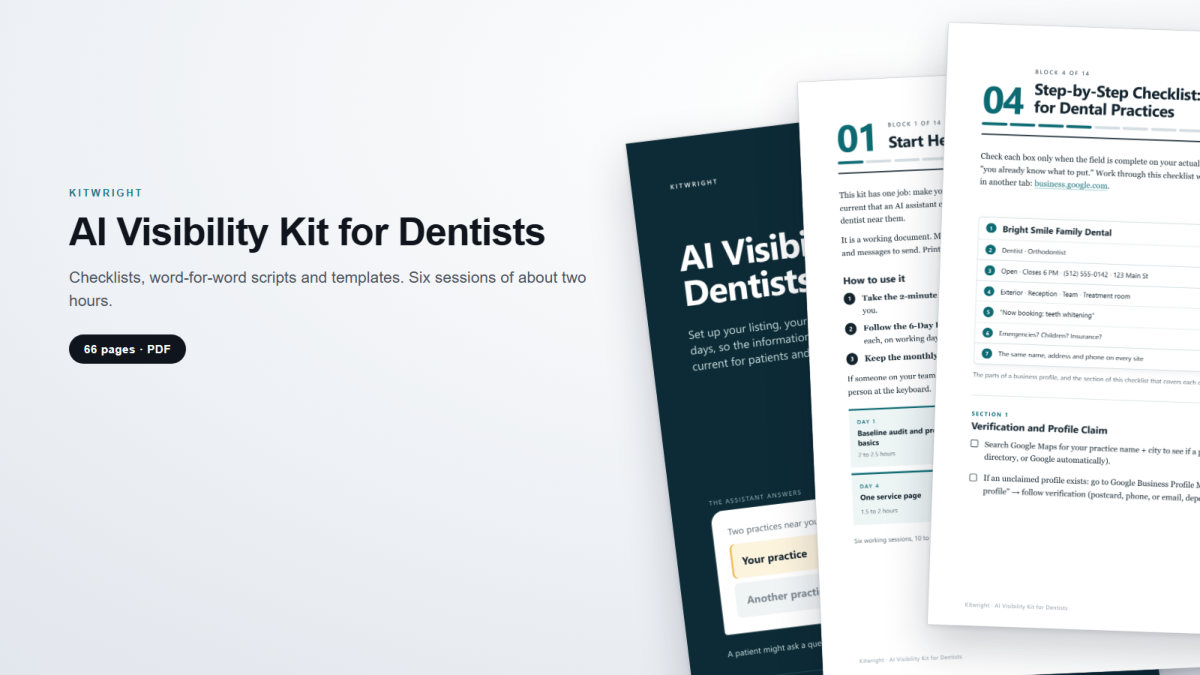
The 6-day setup
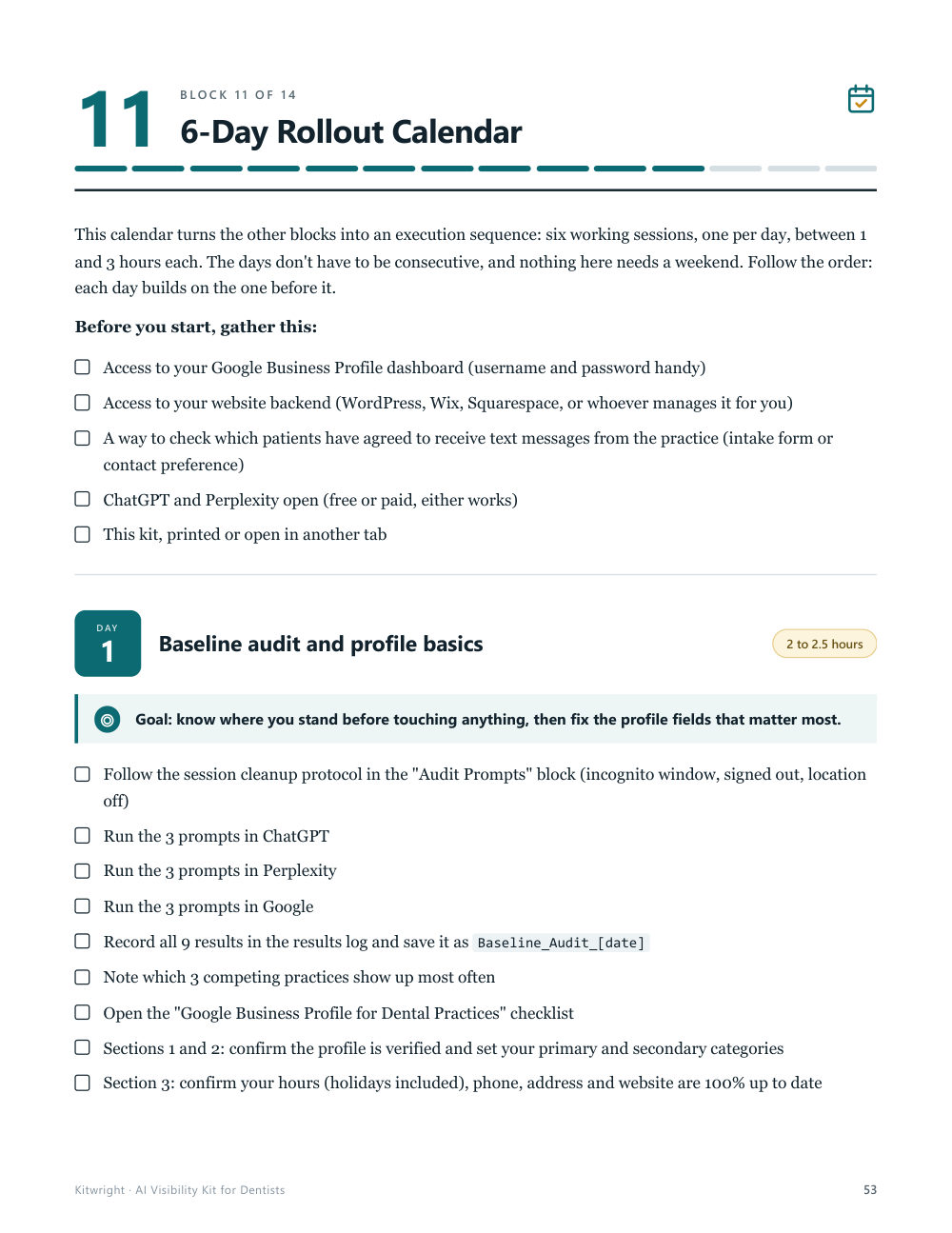
- Day 1Baseline audit and profile basics2 to 2.5 hours
- Day 2Complete your profile, unify your details2 to 2.5 hours
- Day 3FAQ with schema markup1.5 to 2 hours
- Day 4One service page1.5 to 2 hours
- Day 5Review requests2 to 3 hours
- Day 6Lock in the routine1 to 1.5 hours
Six working sessions, 10 to 13.5 hours in total. The days don't have to be consecutive.
Look inside
Real pages from the kit. Click any of them to enlarge.
What's included
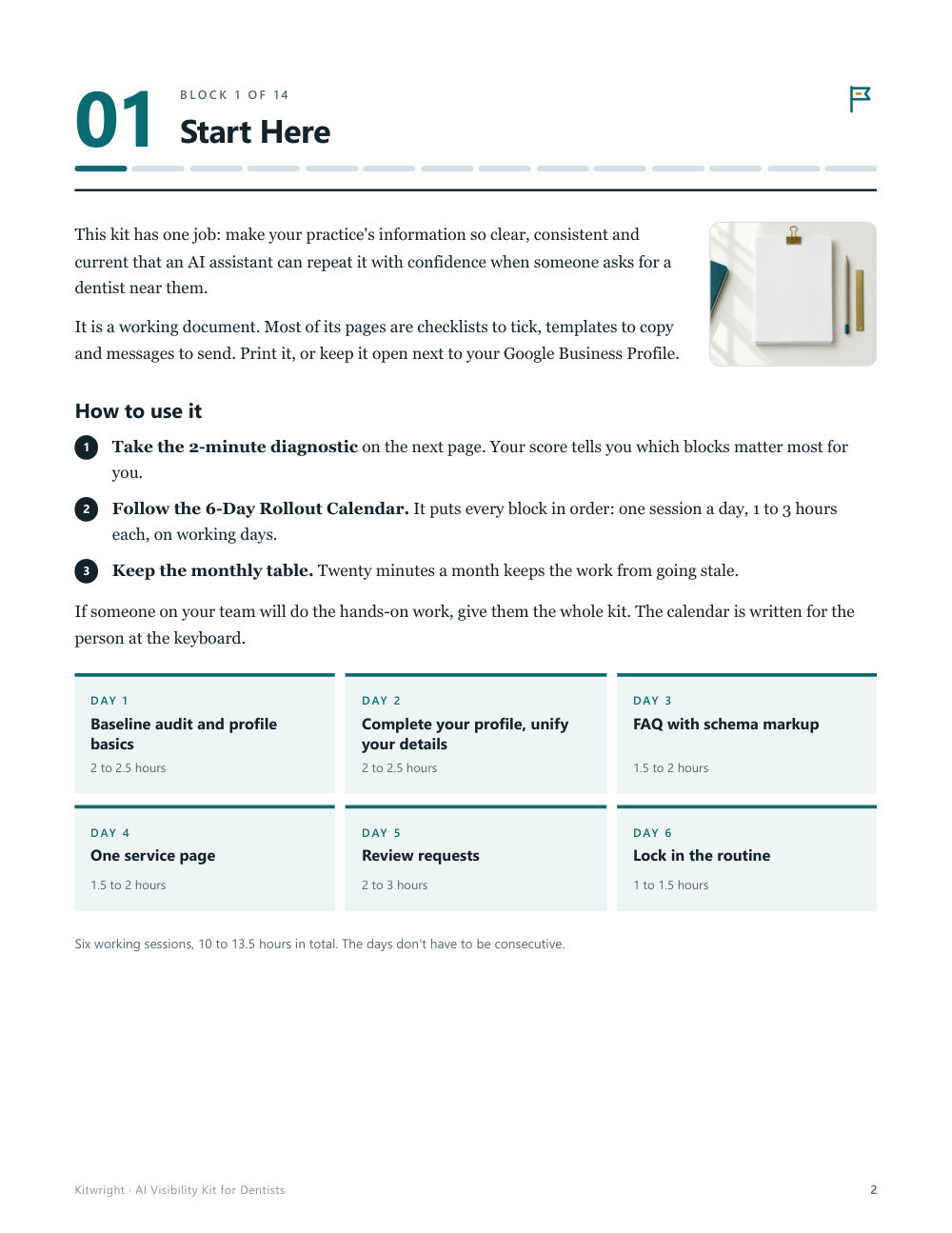
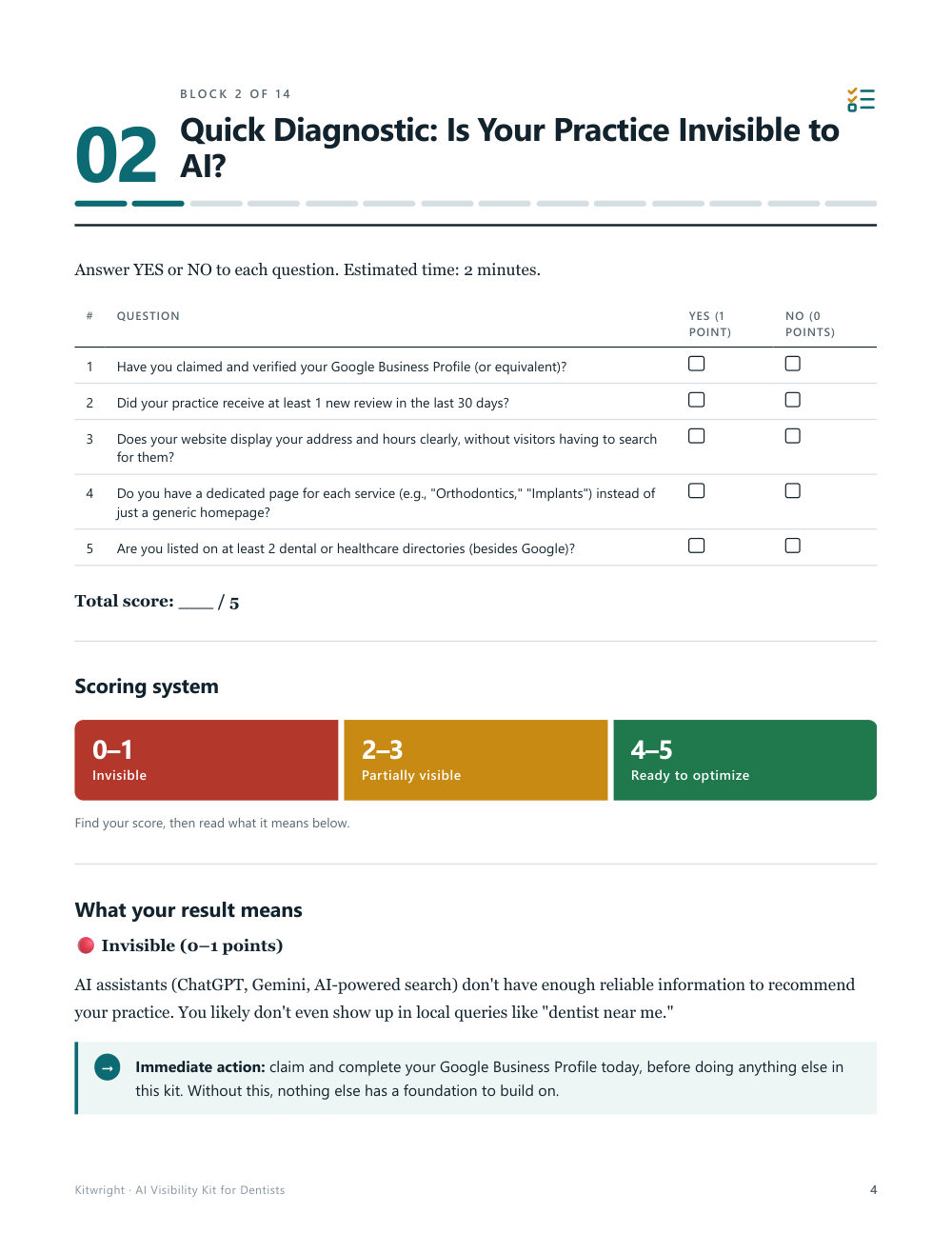
- 2-minute diagnostic: five yes-or-no questions about your practice, with a score that tells you which blocks to start with
- Google Business Profile checklist in seven sections, field by field, including how to make your name, address and phone match everywhere
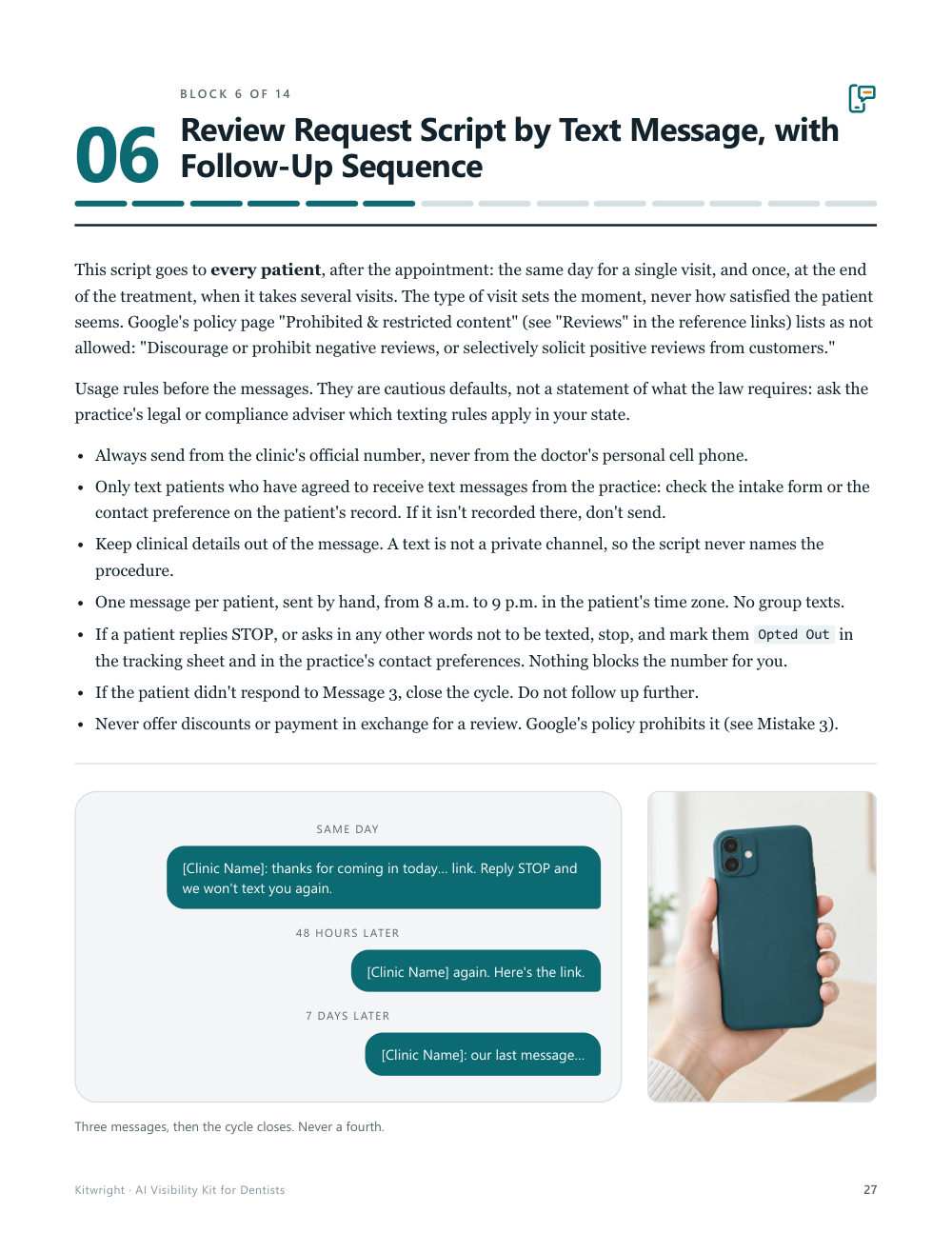
- Review request script for text message: the first message plus two follow-ups, word for word, with a tracking sheet
- Reply templates for positive and negative reviews written not to confirm that the reviewer is a patient, and the process to report a fake review
- Service page template built on a question-and-answer format, concrete data and explicit location
- Bank of 20 patient questions, an FAQ template with schema markup, and a ready-to-fill markup block for the practice itself, with install steps for WordPress, Wix and Squarespace
- Nine audit prompts for ChatGPT, Perplexity and Google, a results log, and a guide to read what they say about your practice
- 6-day rollout calendar: one session a day, 1 to 3 hours each, no weekend required
- Monthly tracking template and the common mistakes that block AI visibility
- 17 help and reference links, checked before release, so the platform steps have a source to fall back on
AI Visibility Kit for Dentists
PDF download through Whop after payment · 66 pages. Because this is a digital file, all sales are final. See the exceptions.
After you pay
- Pay on WhopPayments are processed by Whop, which handles your card details under its own terms and privacy policy. We never see your full card number.
- Confirm your emailWhop emails you a code. Enter it to confirm your email and open your purchase.
- Download from FilesAfter the code you land on the Kitwright home page. Click Files in the left sidebar, or the pinned post, to download the PDF. Later, sign in with the email you used to pay and open {linea} to find it again.
Questions about a kit, before or after buying? Write to hello@fieldandwright.com.
Who this is not for
- If you're looking for guaranteed results in new patient numbers, this kit isn't for you: it's a setup guide, not a revenue promise.
- If you expect someone else to configure it for you, this kit isn't for you: it's an operational template for you or your office manager to follow, step by step.
Questions before you buy
- Do I need to know tech or coding to use this kit?
- No. Everything is written so you or your office manager can apply it without technical knowledge. The structured data section gives you copy-paste code and install steps for WordPress, Wix and Squarespace; if someone else manages your website, you can send them the code.
- Does this replace my marketing agency?
- Not necessarily. The kit covers one specific job: getting the information about your practice clear, consistent and current in the places an AI assistant can read it. You can use it alongside what you already have.
- How long does it take to implement?
- Six working sessions, one per day, between 1 and 3 hours each: roughly 10 to 13.5 hours in total. The days do not have to be consecutive, and if you have an office manager you can delegate most of the execution.
- Does this work if I have two locations?
- Yes, with one caveat. The checklist and templates are written for a single location, so you repeat the setup for each one. The review targets do include a specific benchmark for multi-location practices.
- Do you guarantee ChatGPT or Google will cite me after applying this?
- No. No one controls these systems' algorithms or can promise you that. What the kit gives you is the setup: clear, consistent and current information about your practice, in the places an assistant can read it.
AI Visibility Kit for Dentists
PDF download through Whop after payment · 66 pages. Because this is a digital file, all sales are final. See the exceptions.